
Playlists
Order your designs, media and widget screens into a loop and give each item the time it deserves. The playlist is the unit you publish, so a change to it changes every screen playing it.
All About Displays
Studio · Scheduling
Deciding what plays is a separate job from designing it. Build a playlist once, tell it when and where to run, and the screens follow the clock without anyone watching them.
Driven by the clock
The screen changes, you do not
A menu board that switches sections at eleven and a door panel that follows the room's bookings are the same idea: content on a schedule instead of content on someone's to-do list.
Order your designs, media and widget screens into a loop and give each item the time it deserves. The playlist is the unit you publish, so a change to it changes every screen playing it.
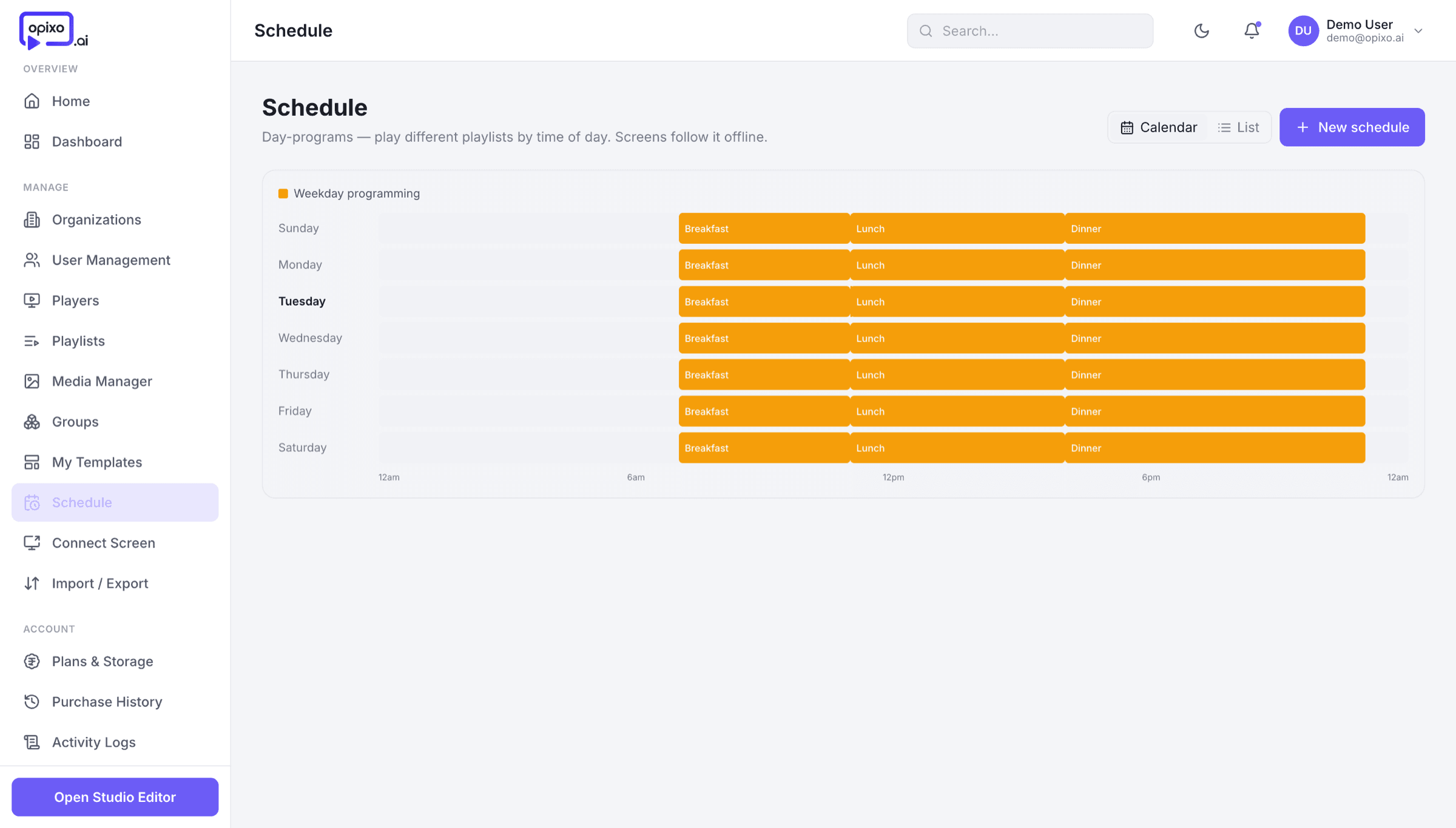
Say what plays by hour of the day and day of the week. Breakfast comes down at eleven and the lunch board goes up on its own — no one has to be standing at a laptop.
Point a board at a published Google Sheet or CSV and it redraws itself on the cadence you choose — menus, timetables and price lists change where the team already keeps them, not on the screen.
Publish to one screen, a group, or a location. Group a floor, a store or a whole region once, then send to the group instead of to each device.
Publish
A schedule only counts once it is on the wall. Paired players pick a published playlist up over the air and keep to it, connection or not.